WOODSEE Network Main Site Library FUSV SwiftMaestro Merch Github

ApexFlow

Native macOS system monitor.

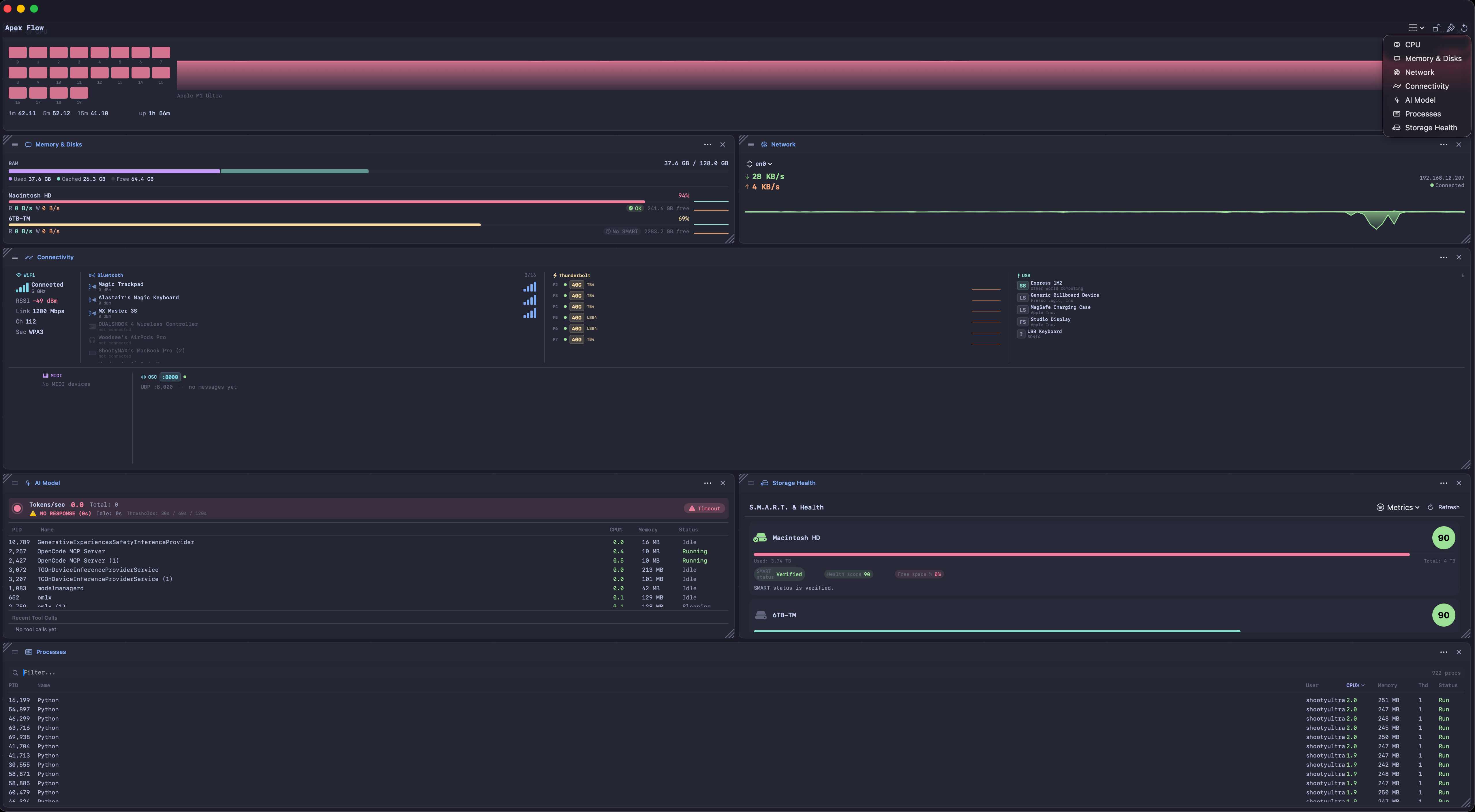
A full-featured, open-source replacement for btop, designed specifically for macOS with native access to Apple frameworks. Monitors CPU, memory, disks, network, processes, storage health, AI model activity — plus real-time visibility into Thunderbolt ports, USB peripherals, Bluetooth devices, MIDI hardware, and OSC network streams.
macOS 14+ Swift 6.3 SwiftUI PolyForm Noncommercial 1.0.0
ApexFlow

What it is

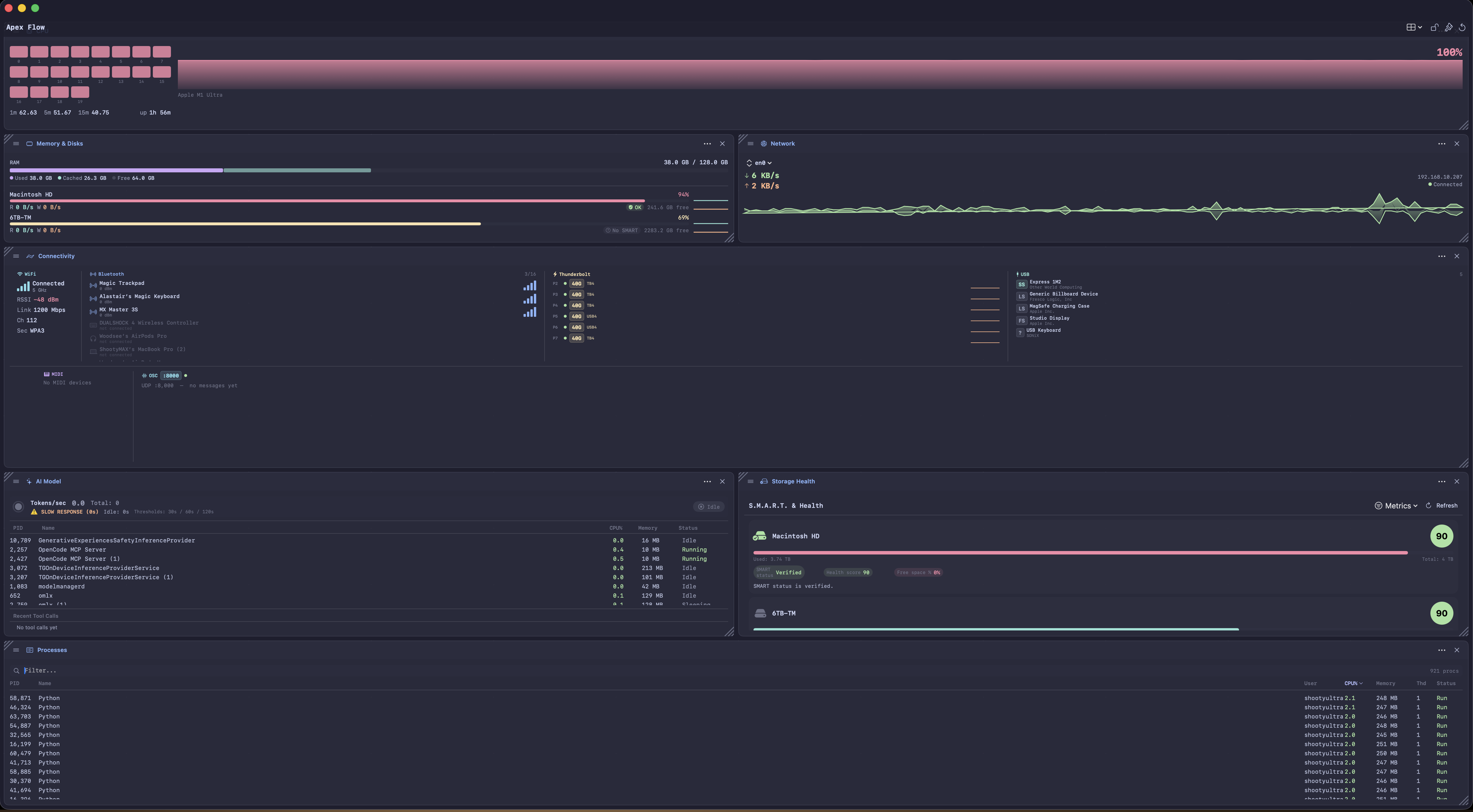
ApexFlow puts a drag-and-drop, resizable system dashboard on your Mac. Panels live on a draggable canvas and can be rearranged, resized, locked, or hidden. Layouts persist between launches, and the entire colour scheme can be customised with built-in presets or your own palette.

Highlights

Canvas workspace

Drag, resize, and lock CPU, Memory, Network, Connectivity, AI Model, Processes, and Storage Health panels.

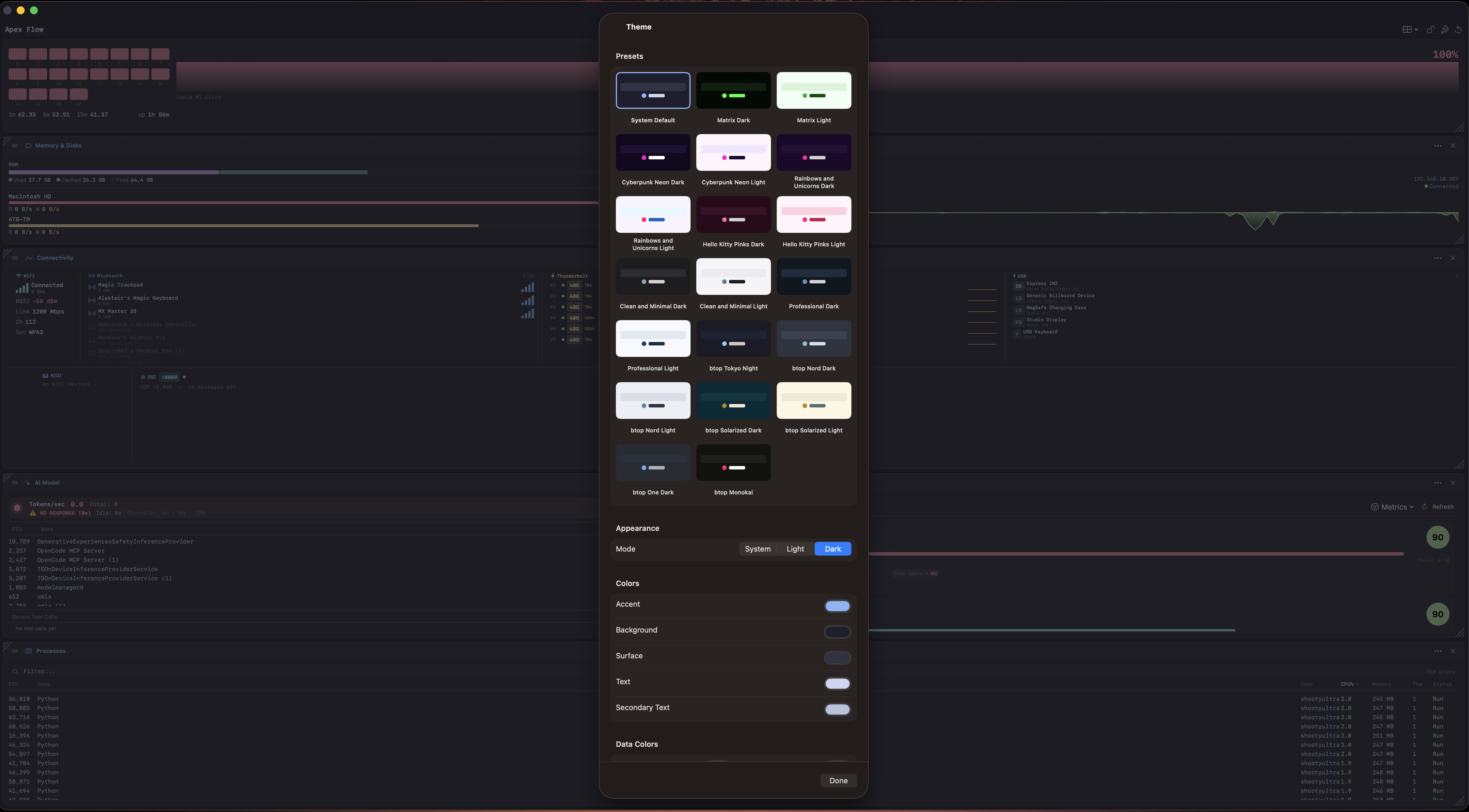
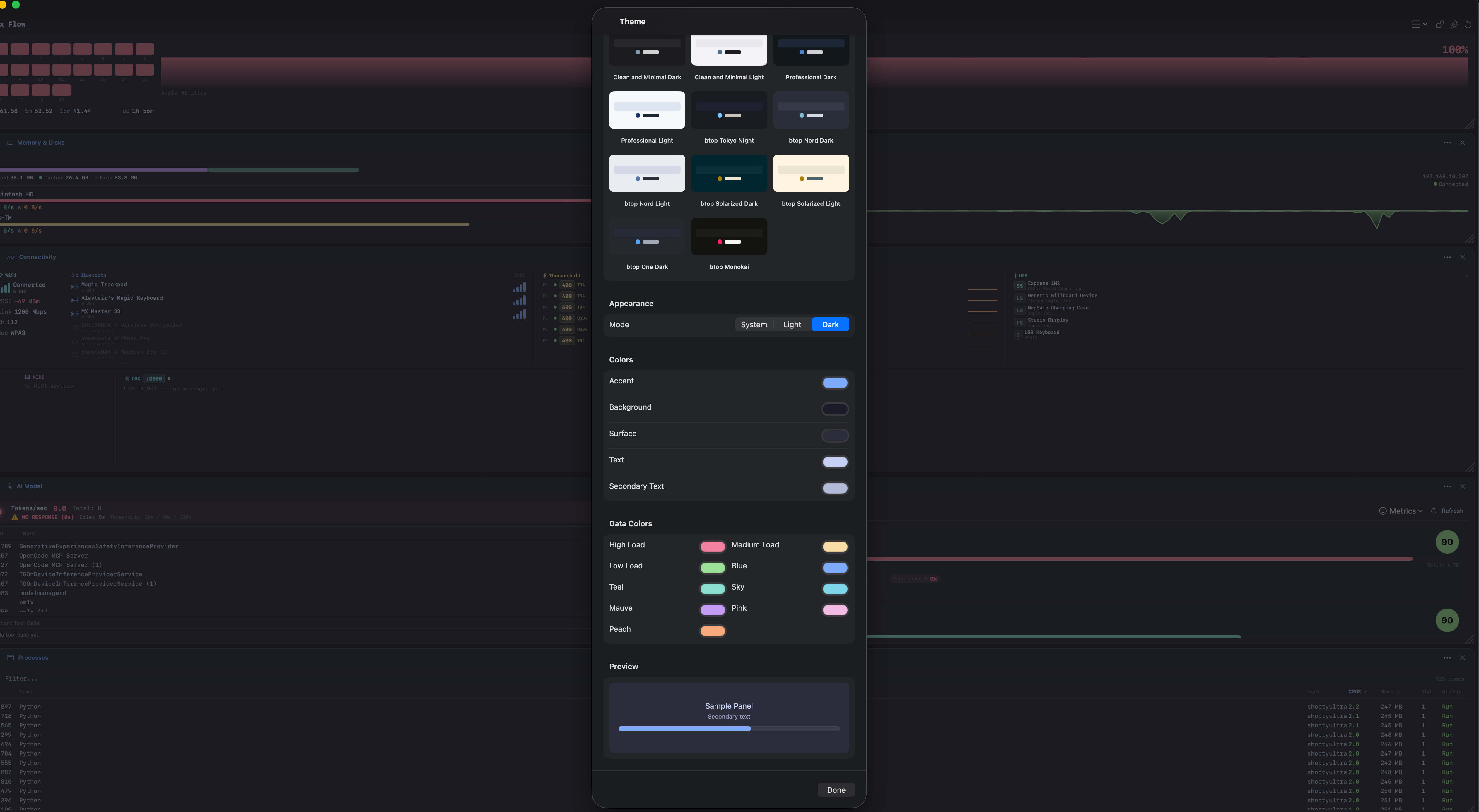
20 built-in themes

Matrix, Cyberpunk Neon, Hello Kitty, Rainbows & Unicorns, Nord, Solarized, btop Tokyo Night, and more.

CPU monitoring

Per-core usage grid with 60-second history chart, load averages, uptime, name, and temperature when available.

Memory & disks

Stacked RAM bar, live disk read/write sparklines, and a scrollable drive list.

Network

Per-interface mirrored area charts, live rate readout, and a compact interface picker filtered to real adapters.

Processes

Sortable, filterable list with PID, CPU%, memory, threads, status. Right-click to send SIGTERM or SIGKILL.

Storage health

S.M.A.R.T. status, temperature, power cycles, wear level, FileVault/encryption status, Time Machine backup age.

AI model monitor

Real-time SwiftMaestro / LM Studio token telemetry, active AI processes, and recent MCP tool calls.

Connectivity panel

WiFi, Bluetooth, Thunderbolt, USB, MIDI, and OSC streams — all in one place.

Swift 6 strict concurrency

Built with async/await, actors, and @MainActor/@Observable throughout.

Install

Homebrew (recommended)

brew tap WOODSEE-DIGI/tap
brew install --cask apex-flow

ApexFlow is signed with a Developer ID certificate and notarized by Apple. On first launch you may see a Gatekeeper prompt because the app was downloaded from the internet; click Open to allow it.

Build from source

git clone https://github.com/WOODSEE-DIGI/ApexFlow.git
cd ApexFlow
brew install xcodegen
xcodegen generate
open ApexFlow.xcodeproj

First-run permissions

Screenshots

ApexFlow main dashboard ApexFlow panel picker ApexFlow theme presets ApexFlow theme customisation

License

PolyForm Noncommercial 1.0.0 — free for non-commercial use. Commercial use requires a separate license.